Imagine arriving at your office and finding that a former employee still has access to your building. You need to remove that access immediately. But what if you are not at the office? Do you have to wait until someone reaches the security room to make the change?
Modern businesses need better ways to manage building security. Traditional access control systems have served businesses for years, but cloud-based solutions now offer more flexibility. With modern door access control solutions, businesses can manage users, monitor entry, and control permissions more easily.
In this guide, we compare cloud-based access control vs traditional access control. We cover their features, costs, security, maintenance, and benefits. We also explain when each system makes sense for offices, commercial buildings, and other properties.
What Is Cloud-Based Access Control?
Cloud-based access control is a security system managed through an internet-based platform. It allows business owners and security teams to control doors and user permissions from a computer, tablet, or smartphone. They do not need to be inside the building to make changes.
For example, imagine a company with offices in Dubai, Abu Dhabi, and Sharjah. Managing each location separately can take time. A cloud-based access control system can bring these locations into one management platform. An administrator can add employees, change entry permissions, and review access records from one place.
The system can use different entry methods. These include RFID cards, PIN codes, fingerprints, facial recognition, and mobile credentials. Each user receives access based on their role and permission level.
How Does Cloud-Based Access Control Work?
A cloud-based access control system connects door readers and local controllers to an online management platform. When someone presents a card, fingerprint, PIN, or mobile credential, the reader sends an access request to the controller. The system checks the user’s permission and decides whether to unlock the door.
The system also records entry events. Administrators can review these records through the online platform. They can see who entered, which door they used, and when the event took place.
Many systems also use local controllers to store access rules. This is important because doors may continue to operate during a temporary internet outage. The exact offline features depend on the equipment and system design.
What Is Traditional Access Control?
Traditional access control is a security system that is managed through local hardware and software. It often uses an on-site server or control panel to store user details and access permissions.
For example, a business may have an access control server in its IT room. The security team uses a connected computer to add employees, remove users, and change door permissions. The system checks these permissions when someone tries to enter a restricted area.
Traditional access control can use the same entry methods as cloud-based systems. Employees may use RFID cards, PIN codes, fingerprints, or other approved credentials. The main difference is how the system stores information and how administrators manage it.
How Does Traditional Access Control Work?
A traditional system uses door readers, local controllers, locks, and management software. When an employee presents a credential, the reader sends the details to the local controller. The controller checks the stored permissions and allows or denies entry.
The system can record entry events on the local server. Security staff can review these records through the management software. Since the main operations take place locally, the system does not usually need an internet connection for normal door access.
However, remote management may need extra equipment or configuration. Managing several buildings can also become more difficult when each location has a separate system.
Cloud-Based Access Control vs Traditional Access Control: Key Differences
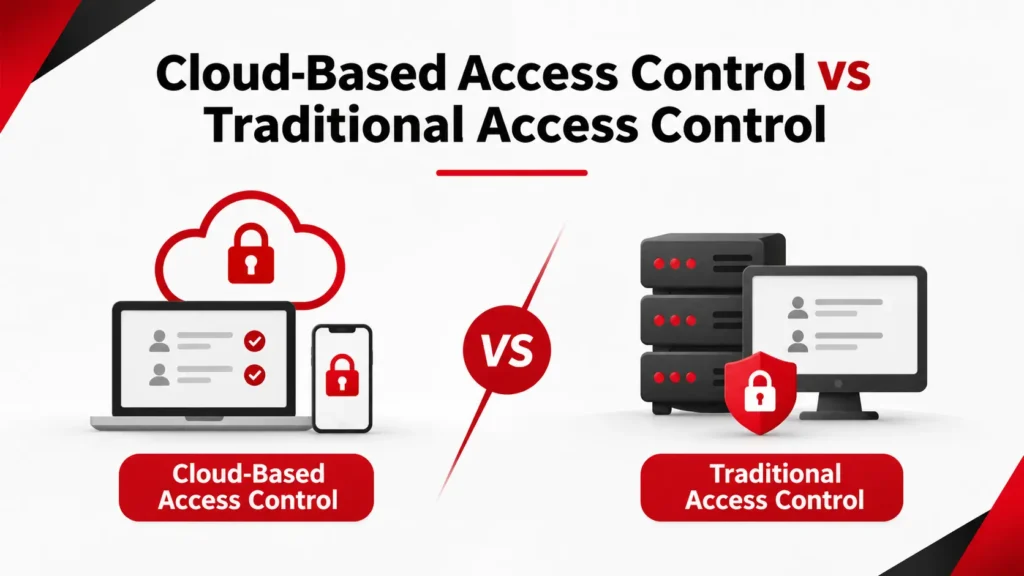
Both systems help businesses manage building entry. However, they differ in management, storage, cost, maintenance, and remote access. The following table explains the main differences.
Feature |
Cloud-Based Access Control |
Traditional Access Control |
| Management | Online platform or mobile app | Local computer or server |
| Data storage | Cloud-based storage, depending on provider | Local server or device |
| Remote access | Usually available | May need extra setup |
| Initial cost | May be lower if no dedicated server is needed | May require a larger upfront investment |
| Ongoing cost | Often includes subscription fees | May include software and maintenance fees |
| Software updates | Often managed by the provider | Usually managed by the business or installer |
| Multiple locations | Central management is easier | May need separate systems or integration |
| Internet connection | Needed for cloud management | Not usually needed for local operation |
| Scalability | Users and locations can often be added through the platform | Expansion may need extra hardware |
| Maintenance | Shared with or managed by the provider | More responsibility for the business |
The table shows that neither system is always better. A small office may benefit from cloud management. A large facility with an established local network may prefer traditional access control. Your building, budget, and security needs should guide the decision.
1. Installation and Setup
Installation is one of the first things to consider when choosing an access control system. Both options need physical equipment. However, their software and network requirements can be different.
Cloud-Based Access Control Installation
Cloud-based access control can reduce the need for local server equipment. The system still needs readers, door controllers, electric locks, and network connections. Once the hardware is installed, the technician connects it to the cloud platform and configures the doors and users.
A reliable network is important for connected readers and controllers. Professional structured cabling installation can support the connections needed for access control and other building systems.
Traditional Access Control Installation
Traditional access control often needs a local server or dedicated management computer. The installer connects the readers, controllers, and locks to the local system. The software is then configured to manage users and entry permissions.
This approach can suit buildings with an existing IT setup. However, businesses should consider the space, hardware, and maintenance needed for the local server.
2. Remote Access and Management
Remote management is one of the biggest differences between cloud-based and traditional access control. It affects how quickly security teams can respond to changes.
Cloud-Based Access Control
A cloud platform allows administrators to manage access from supported devices. They can add new employees, remove former staff, change permissions, and review entry records without being inside the building.
This is useful when a business has several offices or a team that works across different locations. For example, a manager can remove an employee’s access as soon as their employment ends. There is no need to wait for someone to visit the local server.
Traditional Access Control
Traditional systems are usually managed from a computer connected to the local server. This means an administrator may need to visit the building to change user settings or review records.
Some traditional systems offer remote access. However, this may require extra configuration, network access, or third-party software. It can also create more work for the IT team.
3. Security and Data Protection
Security is a major concern for every business. Both cloud-based and traditional access control systems can protect buildings. However, they use different methods to store and manage information.
Cloud-Based System Security
Cloud-based access control systems may include data encryption, user permissions, multi-factor authentication, activity logs, and regular software updates. These features help protect the management platform and user information.
However, cloud security also depends on the provider. Businesses should check how data is stored, who can access it, and what security measures are in place. They should also use strong passwords and limit administrator access.
Traditional System Security
Traditional access control stores much of its information on local servers. This gives businesses direct control over their own equipment and network settings.
However, local storage does not automatically make a system safer. The business must protect the server, install updates, manage backups, and restrict access to the management software. Poor maintenance can create security risks in any system.
For wider property protection, businesses may also consider CCTV installation services to monitor entrances, corridors, and other suitable areas.
4. Cost and Maintenance
The cost of an access control system goes beyond the price of the readers and locks. Businesses should also consider installation, software, maintenance, support, and future upgrades.
Cloud-Based Access Control Costs
Cloud-based systems often use a monthly or yearly subscription. The fee may cover software access, cloud services, updates, and technical support. The exact price depends on the provider, number of doors, users, and selected features.
The initial investment may be lower if a dedicated local server is not required. However, subscription fees continue for as long as the business uses the platform. It is important to calculate these costs over several years.
Traditional Access Control Costs
Traditional systems may need a larger upfront investment. The business may need to purchase a server, management software, controllers, readers, and other hardware. Installation and configuration also add to the cost.
There may be no monthly cloud subscription. However, the business still needs to budget for server maintenance, software licenses, backups, and technical support. Hardware upgrades can also increase long-term costs.
Which System Is More Affordable?
There is no fixed answer. A small business with a few controlled doors may find cloud-based access control more affordable. A large company with existing server equipment may prefer a traditional system.
The best way to compare costs is to look at the total cost of ownership. Include the initial installation, ongoing fees, maintenance, and future expansion. This gives you a clearer picture than comparing installation prices alone.
5. Scalability and Business Growth
Your security needs may change as your business grows. You may hire more employees, open new branches, or add restricted areas. Your access control system should support these changes without creating unnecessary work.
Cloud-Based Access Control Scalability
Cloud-based systems make it easier to expand user access and manage additional locations. Administrators can often add new doors, users, and sites through the same platform.
For example, a company may start with one office in Dubai and later open another branch. The new location can be added to the existing management account if the platform supports it. This helps the security team manage access from one place.
Traditional Access Control Scalability
Traditional systems can also grow with a business. However, expansion may require extra controllers, software licenses, server capacity, or configuration.
A company with several branches may need separate local systems or a central integration setup. This can increase installation time and maintenance work. It is important to plan for future growth before choosing the system.
6. Internet Connection and System Reliability
Internet access is an important part of cloud-based management. But businesses often ask one question: what happens if the internet stops working?
What Happens When Cloud Access Control Loses Internet?
Many cloud-based access control systems use local controllers to keep doors working during an internet outage. These controllers store approved credentials and access rules. Employees may still be able to enter the building using their assigned cards or other credentials.
However, some online features may become unavailable. Administrators may not be able to make remote changes or view live activity. New settings may also take time to sync after the connection returns.
For sites that rely on connected devices, suitable business Wi-Fi installation can help provide wireless coverage where the system design requires it.
These functions depend on the system design. Businesses should ask the installer how the system behaves during an internet or network failure.
Does Traditional Access Control Work Without Internet?
Traditional access control usually manages door entry through local hardware and software. This means normal access operations can continue without an internet connection.
This can be useful for buildings with unreliable internet or strict local network requirements. However, local systems still depend on working power, controllers, readers, and servers. A hardware failure can affect access, so backup power and regular maintenance remain important.
7. Managing Multiple Locations
Businesses with several offices need a simple way to manage users and entry permissions. Managing each building separately can take time and create gaps in security.
Cloud-Based System for Multiple Sites
Cloud-based access control can connect several locations to one management platform. An administrator can manage employee access across branches and set different permissions for each building.
For example, a regional manager may have access to two offices, while other employees can enter only their assigned workplace. The security team can also review access records from different locations through the same platform.
Traditional System for Multiple Sites
Traditional access control can manage several locations too. However, each building may need its own server or management setup. Connecting these systems may require additional software or integration.
This can work for businesses with dedicated IT teams. However, it may be less convenient for companies that want one central place to manage all their doors and users.
8. Cloud-Based vs Traditional Access Control: Which One Should You Choose?
The right system depends on how your business operates. You should consider the number of doors, employees, locations, and the level of control you need.
Cloud-based access control may be a better fit if your business needs remote management, central control, and easy expansion. It can also help companies that manage several locations or have frequent staff changes.
Traditional access control may suit businesses that prefer local management and already have the equipment to support it. It can also be a practical choice for sites where internet access is limited or local data control is a priority.
Is a Hybrid Access Control System a Good Option?
A hybrid access control system combines cloud-based management with local hardware. It allows administrators to manage users and permissions online while local controllers handle door operations.
This approach can offer more flexibility. For example, a company can use a cloud platform to manage several offices while keeping local controllers at each site. This can also help businesses upgrade their existing systems in stages.
The choice depends on the platform and hardware. Not every cloud system supports the same offline features or integrations. Ask your installer to explain how the proposed setup will work.
9. Important Factors to Consider Before Installing an Access Control System
Before choosing a system, review your building and daily security needs. Start by counting the doors and entry points that need protection. Include main entrances, staff rooms, server rooms, storage areas, and other restricted spaces.
Next, consider how many people need access. Employees, visitors, contractors, and temporary staff may all need different permissions. The type of credential also matters. Some buildings may use RFID cards, while others may need fingerprint readers, face recognition, PIN codes, or mobile access.
You should also consider how the access control system will work with other security equipment. For example, intruder alarm solutions can detect unauthorized entry and send alerts when a security event occurs.
Finally, ask about maintenance and technical support. Readers, controllers, locks, and software all need attention. A clear maintenance plan helps keep the system reliable over time.
10. How Access Control Works With Other Building Systems
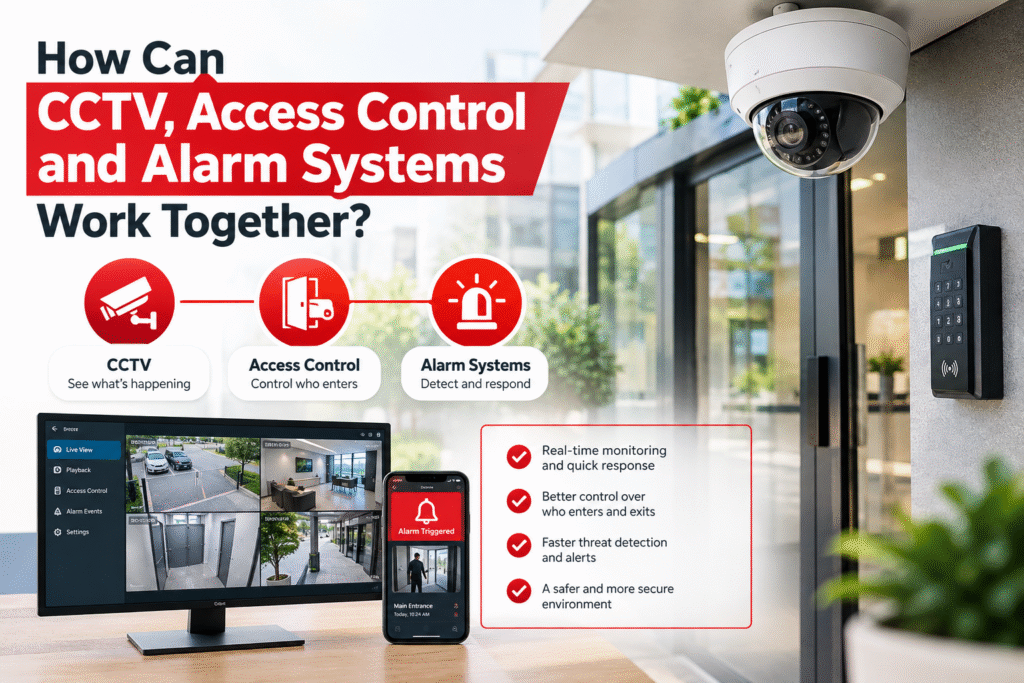
Access control is often part of a wider security setup. It can work with CCTV, intruder alarms, and other building technologies to improve safety and management.
For example, when an employee uses a card to enter a restricted area, the access control system records the event. If the system is integrated with CCTV, security staff may be able to view the related camera footage. This can help them check unusual activity or investigate an incident.
During an emergency, public address systems can help deliver clear announcements across offices, schools, warehouses, and other large buildings.
The goal is to create a system where each technology supports the others. This makes security easier to manage and can help teams respond more effectively.
11. Why Choose SEFA for Door Access Control System Installation in Dubai?
Choosing the right technology is only one part of the process. You also need an experienced team to assess your building, select suitable equipment, and install the system correctly.
SEFA provides door access control and other ELV security solutions in Dubai. With over 20 years of industry experience, the company works with residential, commercial, and industrial properties. Its access control solutions include RFID cards, PIN codes, fingerprint readers, face recognition, and mobile access options.
SEFA also provides installation, system configuration, testing, and ongoing support. The team can assess your entry points and recommend a setup based on your building and security needs. Systems can also be integrated with CCTV and alarm solutions where supported.
Whether you manage a small office or a large commercial property, the right setup can make entry management easier. Explore SEFA’s door access control service page to learn more.
Conclusion
Cloud-based access control vs traditional access control is a choice between different ways of managing building security. Both systems can control entry and help prevent unauthorized access. However, their management, storage, costs, and maintenance needs are different.
Cloud-based access control is useful for businesses that need remote management and central control. It can also make it easier to manage several locations. Traditional access control may suit buildings that prefer local management or already have the required server setup.
A hybrid system can offer another option. It combines online management with local hardware, which may suit businesses that want flexibility and local control.
Before making a decision, consider your budget, building size, number of users, network setup, and future plans. A professional site assessment can help you choose a system that meets your needs.
Looking for a suitable access control solution for your property in Dubai? Contact SEFA to discuss your requirements and plan a system for your building.
Frequently Asked Questions
What is the main difference between cloud-based and traditional access control?
The main difference is how the system is managed. Cloud-based access control uses an online platform to manage users, doors, and permissions. Traditional access control usually relies on a local server or computer. Both systems can control entry, but their management methods are different.
Is cloud-based access control more secure?
Cloud-based access control can offer strong security features. These may include encryption, user permissions, multi-factor authentication, and activity logs. However, security also depends on the provider and system configuration. Businesses should check how their data is stored and protected before choosing a platform.
Can cloud-based access control work without the internet?
Many cloud-based systems use local controllers that store access rules and approved credentials. This can allow doors to keep working during a temporary internet outage. However, remote management and live updates may become unavailable until the connection returns. The exact features depend on the system.
Is traditional access control cheaper than cloud-based access control?
Not always. Traditional systems may have higher initial costs because they need local servers and software. Cloud-based systems may have lower setup costs but often include monthly or yearly subscription fees. The best option depends on the hardware, number of doors, maintenance, and long-term costs.
Can I manage cloud-based access control from my phone?
Yes. Many cloud-based access control platforms offer mobile apps or browser access. Administrators can use supported devices to manage users, change permissions, and review activity. Some systems also support mobile credentials, which allow employees to use their smartphones to enter a building.
Can access control systems work with CCTV cameras?
Yes. Many modern access control systems can integrate with CCTV cameras. This allows security teams to review footage linked to door activity. For example, they may check video after an unusual access attempt or an unauthorized entry alert. Integration depends on the equipment and software.
Is cloud-based access control suitable for small businesses?
Yes. It can suit small businesses that want simple management and remote access. It may also help businesses that expect to add more doors or employees in the future. However, the business should compare subscription fees with its budget and security needs.
What is a hybrid access control system?
A hybrid access control system combines cloud-based management with local hardware. Administrators can manage users and permissions online, while local controllers handle door operations. This approach can provide flexibility and may suit businesses that want both remote management and local control.
Which access control system is best for multiple office locations?
Cloud-based access control is often a practical option for businesses with several locations. It can allow administrators to manage users, doors, and permissions through one platform. Traditional and hybrid systems can also support multiple sites, but they may need additional setup and integration.
How do I choose the right access control system for my building?
Start by checking the number of doors, users, and entry points. Then consider your budget, network setup, security requirements, and future plans. You should also check whether the system supports the entry methods and integrations you need. A professional site survey can help you make the right choice.